
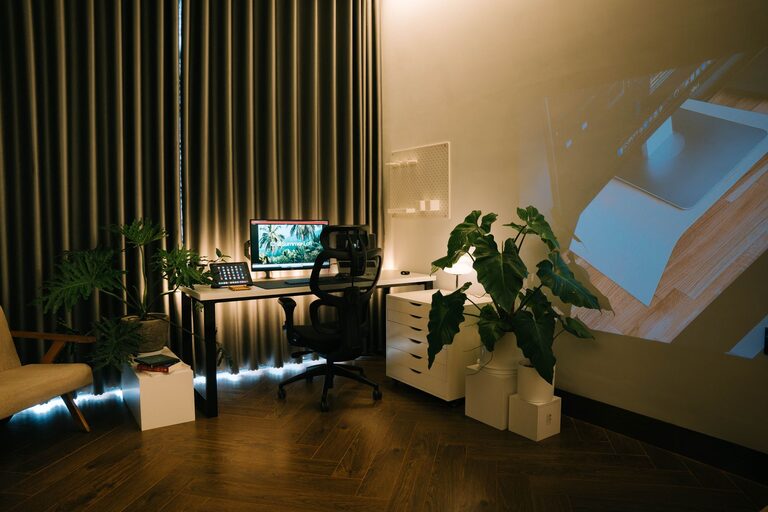

Creating a relaxing home workspace is essential for maintaining productivity and well-being, especially as more people work remotely. A calm and comfortable environment helps reduce stress and improves concentration, making your workday smoother and more enjoyable. In this post, we’ll explore practical tips to set up a peaceful and functional home office that supports your best work.
Choose the Right Location
Selecting the ideal spot for your workspace is the first step toward creating a relaxing environment.
– Quiet Area: Find a space away from noisy parts of your home. If possible, use a spare room or a corner in a low-traffic area.
– Natural Light: Position your desk near a window to take advantage of natural light, which can boost mood and energy.
– Good Ventilation: Ensure proper airflow to keep the room fresh and comfortable.
Invest in Comfortable and Ergonomic Furniture
Your furniture plays a big role in your comfort during long work hours.
– Ergonomic Chair: Choose a chair that supports your back and promotes good posture.
– Adjustable Desk: A desk with adjustable height allows you to switch between sitting and standing.
– Proper Desk Size: Make sure your desk has enough surface area for your computer, documents, and other essentials without feeling cramped.
Keep Your Space Organized
Clutter can contribute to stress and distraction, so organization is key.
– Storage Solutions: Use shelves, filing cabinets, or baskets to keep items tidy.
– Cable Management: Use clips or sleeves to organize cables and reduce visual clutter.
– Minimal Decor: Keep decorations simple and meaningful to avoid an overwhelming environment.
Incorporate Calming Elements
Adding soothing touches to your workspace can help create a relaxing atmosphere.
– Plants: Indoor plants improve air quality and add a refreshing natural element.
– Soft Lighting: Use desk lamps or warm-toned bulbs instead of harsh overhead lights.
– Personal Touches: Include items that make you feel calm, like artwork, scented candles, or photos.
Use Color Wisely
Colors impact mood and productivity. Choose tones that promote relaxation without sacrificing focus.
– Neutral Colors: Soft whites, beiges, and light grays create a clean and calming backdrop.
– Accent Colors: Blues and greens are known for their relaxing effects and can be added through accessories or wall art.
– Avoid Overstimulation: Bright, bold colors may increase energy but can also be distracting if overused.
Manage Noise Levels
Sound control is important for a peaceful workspace.
– Noise-Cancelling Headphones: These can help block distracting sounds.
– Soft Background Music: Playing calm instrumental music or nature sounds can enhance focus.
– Soundproofing: If possible, add rugs, curtains, or foam panels to reduce echo and outside noise.
Establish a Routine and Boundaries
A relaxing workspace also depends on how you use it.
– Set Work Hours: Define clear start and end times to separate work from personal life.
– Take Breaks: Schedule regular breaks to stretch or walk around to reduce fatigue.
– Keep Workspace for Work Only: Avoid using your workspace for non-work activities to maintain mental separation.
Use Technology Mindfully
Technology is essential but can cause stress if not managed well.
– Organize Digital Files: Keep your computer desktop and files tidy to avoid digital clutter.
– Limit Notifications: Turn off non-essential notifications during focus periods.
– Use Productivity Tools: Apps like timers or task managers can help keep you on track without overwhelming you.
Maintain Cleanliness
A clean workspace promotes a clear mind.
– Daily Tidying: Spend a few minutes at the end of each day organizing your desk.
– Regular Deep Cleaning: Wipe down surfaces and dust your workspace weekly.
– Air Fresheners: Use natural air fresheners like essential oil diffusers to keep the air pleasant.
—
By thoughtfully designing your home workspace, you can create a relaxing environment that supports productivity and well-being. Remember, the best workspace is one tailored to your personal needs and preferences. Start small and gradually adapt your setup until it feels just right for you. Happy working!