
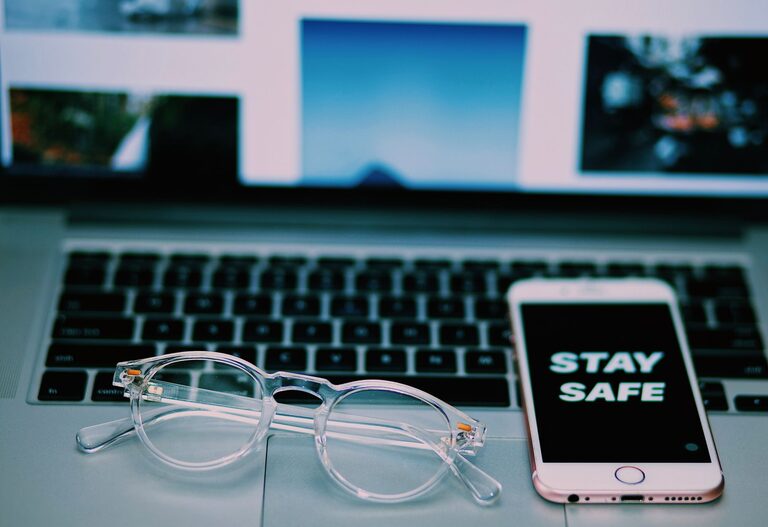

Keeping your phone and keyboard clean is essential not only for hygiene but also to ensure these devices function properly over time. Everyday use exposes them to dirt, oils, and germs, making regular cleaning a smart routine. However, it’s important to clean these gadgets safely to avoid damage. This guide will walk you through the best methods to clean your phone and keyboard effectively and safely.
Why It’s Important to Clean Your Phone and Keyboard
Phones and keyboards are high-touch devices that collect dust, grime, and bacteria. Regular cleaning helps:
– Reduce germs and prevent the spread of illness
– Improve device appearance and feel
– Maintain proper functioning of keys and touchscreens
– Extend the life of your devices
General Safety Tips Before Cleaning
Before grabbing cleaning supplies, keep these safety tips in mind:
– Turn off and unplug devices before cleaning.
– Avoid using harsh chemicals like bleach, ammonia, or abrasive cleaners.
– Use gentle, screen-safe cleaning materials.
– Do not spray liquids directly onto devices; apply them to a cloth instead.
– Test cleaning methods on a small, inconspicuous area first.
How to Clean Your Phone Safely
Phones are delicate, especially the screen and internal components. Follow these steps for safe cleaning:
What You’ll Need:
– Microfiber cloth (lint-free)
– Distilled water
– Isopropyl alcohol (70% or less)
– Small spray bottle (optional)
– Cotton swabs
Step-by-Step Instructions:
- **Power off your phone.** This prevents accidental taps and protects the device.
- **Remove the case.** Clean the case separately according to its material.
- **Prepare your cleaning solution.** Mix equal parts distilled water and isopropyl alcohol in a spray bottle if you like, or dampen a cloth with the mixture.
- **Wipe the exterior gently.** Lightly dampen a microfiber cloth and gently wipe all surfaces, including the screen, back, and sides. Avoid excessive moisture.
- **Clean small areas.** Use cotton swabs dampened with the cleaning solution to clean ports and crevices, being careful not to leave moisture inside.
- **Dry thoroughly.** Use a dry microfiber cloth to remove any remaining dampness.
- **Reassemble and power on.** Once everything is dry, put the case back on and turn the phone on.
How to Clean Your Keyboard Safely
Keyboards tend to accumulate dust, crumbs, and oils that can affect performance and hygiene. Here’s how to clean yours safely:
What You’ll Need:
– Compressed air canister
– Microfiber cloth
– Isopropyl alcohol (70% or less)
– Cotton swabs or soft brush
– Small bowl of warm soapy water (for external cleaning)
Step-by-Step Instructions:
- **Unplug or turn off the keyboard.** If it’s wireless, remove the batteries.
- **Shake out debris.** Turn the keyboard upside down and gently shake to dislodge loose crumbs and dust.
- **Use compressed air.** Blow air between keys to remove dust and particles trapped underneath.
- **Wipe keys and surface.** Lightly dampen a microfiber cloth with isopropyl alcohol or warm soapy water (not dripping wet) and wipe the keys and keyboard surface.
- **Detail cleaning.** Use cotton swabs dipped in isopropyl alcohol to clean around keys and in tight spaces.
- **Dry completely.** Allow the keyboard to air dry fully before reconnecting or powering on.
Additional Maintenance Tips
– Clean regularly. Aim to clean your phone and keyboard at least once a week, or more often if used heavily.
– Wash hands before use. Keeping hands clean reduces the transfer of dirt and oils.
– Avoid eating near devices. This helps keep crumbs and sticky residues off your gadgets.
– Use screen protectors and keyboard covers. These accessories can make cleaning simpler and protect your devices.
What to Avoid When Cleaning
– Never immerse your phone or keyboard in water.
– Avoid using abrasive tools, paper towels, or harsh chemicals.
– Do not apply liquid directly onto devices; always use a cloth.
– Don’t forget to dry devices completely before powering on.
Final Thoughts
Cleaning your phone and keyboard safely is simple with the right materials and techniques. It helps maintain your devices’ appearance and function while promoting a healthier environment. Following these guidelines regularly will keep your gadgets looking great and working well for years to come.
Remember, gentle care is key — treat your devices with a soft touch, and they will repay you with long-lasting performance. Happy cleaning!